Import Garmin runs into BirdRunner
By Thriving Bird · Updated
Get BirdRunner free on the App Store.
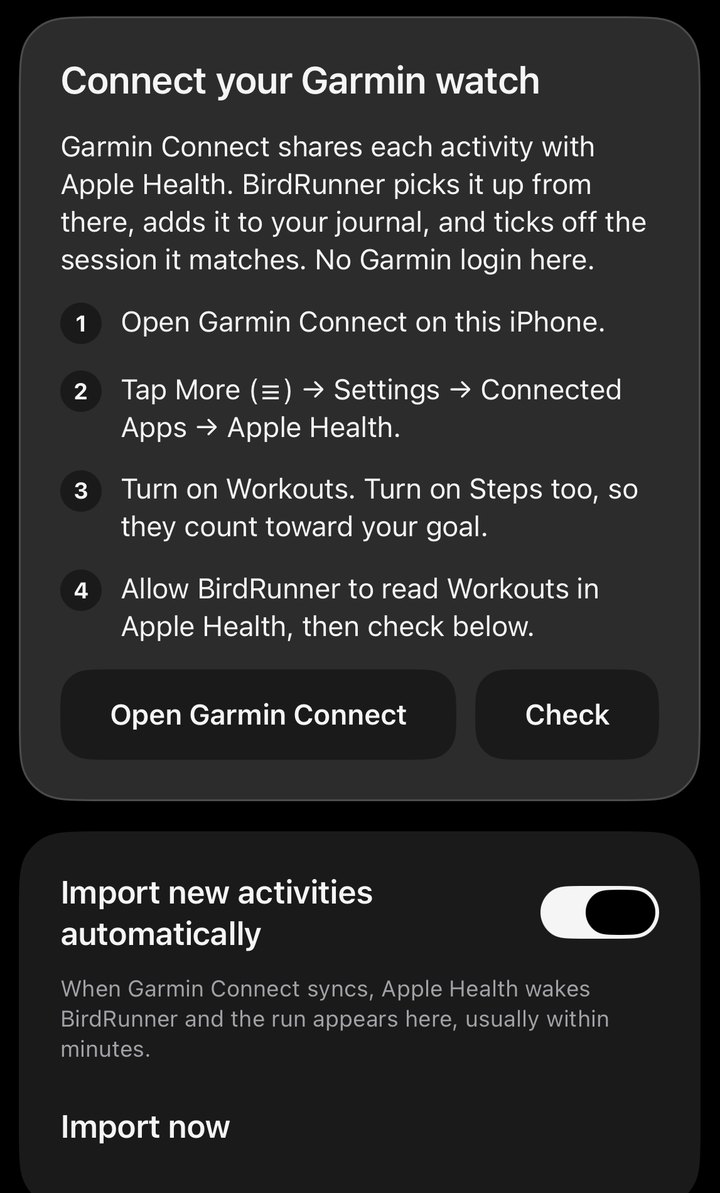
Import Garmin runs through Apple Health on your iPhone. BirdRunner doesn't ask for your Garmin password.
Connect through Apple Health
- Sync your watch with Garmin Connect on your iPhone.
- In Garmin Connect, open this menu path:
More → Settings → Connected Apps → Apple Health. Menu names can vary with Garmin Connect updates. - Turn on Workouts. Turn on Steps too if you want them counted toward your goal.
- In BirdRunner, open You → Garmin watch and allow it to read workouts from Apple Health.
- Tap Check connection to look for your latest Garmin activity, then Import now. You can enable Import new activities automatically there too.
Both permissions matter: Garmin Connect needs permission to write the workout, and BirdRunner needs permission to read it. Apple describes app access in its Health data settings guide.
What transfers
Garmin workouts shared through Apple Health provide details such as date, duration, and distance when available. BirdRunner reads running and walking workouts from the past year, including indoor sessions. An activity without a distance can be saved with time only.
Garmin GPS routes don't come through this Health connection. A workout can import successfully without a map. BirdRunner can't send planned sessions to a Garmin watch. This connection only brings recorded activities in.
Add a route with a GPX or TCX file
- On the Garmin Connect website, open the recorded activity.
- Use its export options to save a GPX or TCX file.
- In BirdRunner, choose You → Garmin watch → Import GPX or TCX files and select the file.
If BirdRunner already has the matching activity in its journal, the file can add route information to that activity instead of making another copy. The contents of the exported file determine which route details and splits are available.
If an activity is missing
- Open Garmin Connect on this iPhone and let it sync with your watch.
- Check whether the workout appears in Apple Health. If it doesn't, check Garmin Connect's Apple Health sharing settings first.
- If Health has the workout, check BirdRunner's access to Workouts and Walking + Running Distance, then return to You → Garmin watch and tap Import now.
- If the activity is more than a year old, export it from Garmin Connect as a GPX or TCX file and use Import GPX or TCX files.
Recorded the same run in BirdRunner too? Then it's one run saved twice, and it counts once. When you open BirdRunner, a Saved twice card shows both copies so you can keep the Garmin's or BirdRunner's. Tap Check connection in You → Garmin watch to see whether your latest Garmin activity is one of these. Choosing a copy in BirdRunner doesn't delete the workout from Garmin Connect or Apple Health.
Imports can take minutes, sometimes hours. Opening Garmin Connect after your walk or run usually brings it over sooner. Our watch and Health help has more detail about automatic imports and permissions.
Train safely. BirdRunner gives general fitness guidance. It isn't medical advice and doesn't diagnose, treat, or prevent any condition. Talk to a doctor before you start a new plan or step up your training, especially if you have a heart, lung, or other health condition or an injury, are pregnant, or haven't been active lately. Stop and get help right away if you feel chest pain or pressure, faintness, a racing or irregular heartbeat, or unusual shortness of breath. In heat or humidity, slow down, drink water, and stop if you feel sick or confused. Watch traffic, not your screen, and keep audio low enough to hear around you.
About BirdRunner
BirdRunner is a free run & walk coach for iPhone made by Thriving Bird. Track GPS distance and pace, use optional training plans, and keep your journal on your device. No account, tracking, or analytics.