 Grid by Grid
Draw any photo, one square at a time
Grid by Grid puts a grid over your picture and tells you how to rule the same grid on your paper. Then you copy one square at a time, which makes it easier to keep your drawing in proportion.
Free on the US App Store

Free to download. For iPhone and iPad with iOS 17 or later.
How the grid method works
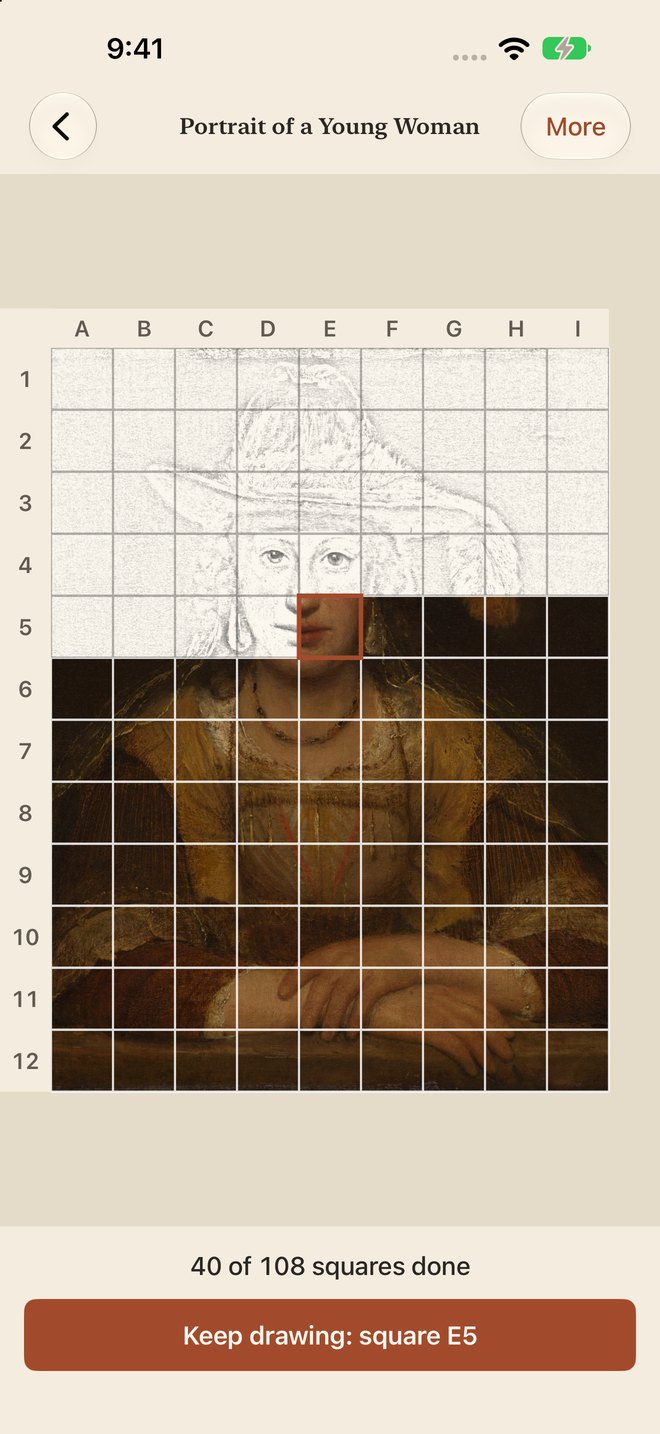
Artists have used it for hundreds of years, because one small square is easier to copy than a whole picture. Grid by Grid makes the grid and keeps your place.
Pick a picture
Choose a photo from your library, or a file. Or tap Try a sample picture.
Set up in three short steps
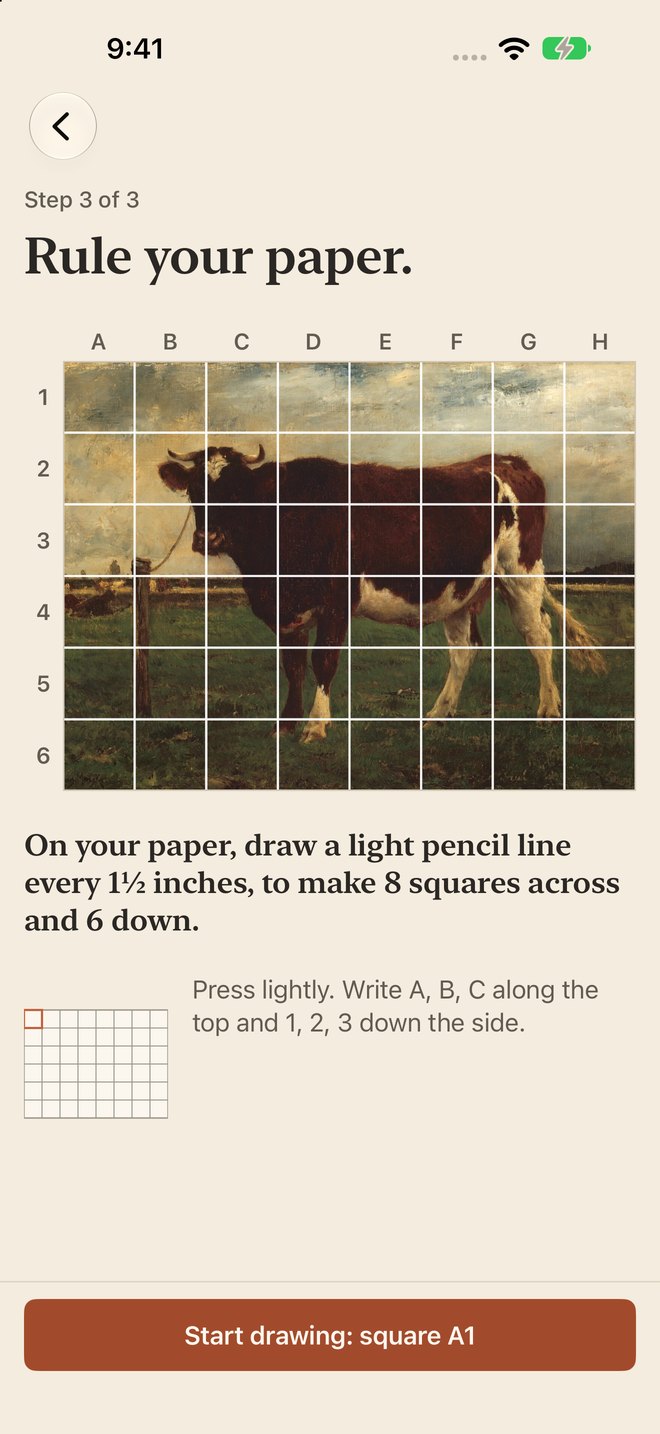
What are you drawing on? How big should the squares be? Then “Rule your paper.” tells you where to draw every line. The app trims the picture to your paper's shape, so the squares stay square.
Copy one square
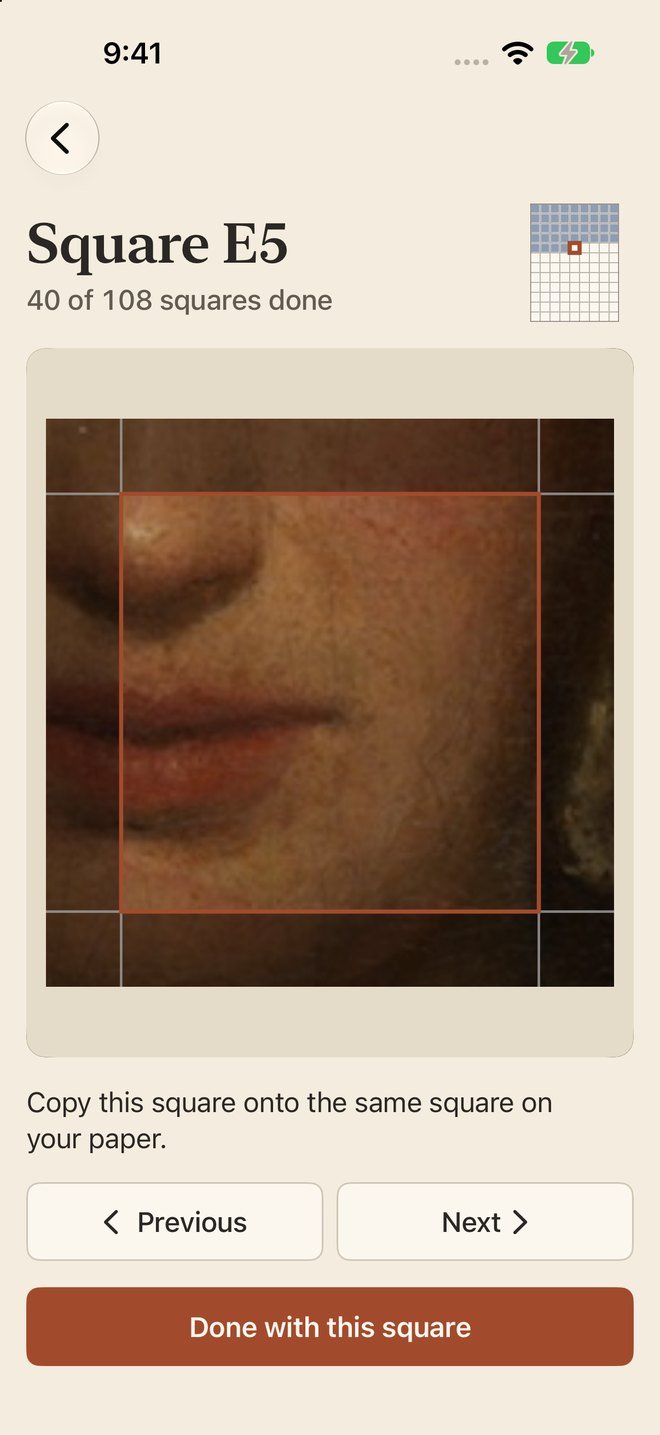
Tap Start drawing: square A1. Look at where a line enters and leaves the square, and what is dark or light. Copy it onto the same square on your paper, tap Done with this square, and the next one opens.
Finished squares turn into a pencil sketch on the picture, and the main button says which square is next.
At the easel
For portraits, pets, landscapes, still life, murals and big canvases, in pencil, charcoal, ink or paint.
- Your paper can be 9 × 12 inches, Letter, A4 or your own size, in inches or centimeters. “Rule your paper.” then gives the spacing, for example a light pencil line every 1½ inches.
- Prop your iPhone or iPad next to your easel. The screen stays awake while a picture is open.
- For a value study, Light and dark only reduces the picture to 3, 4 or 5 shades. It comes with the one-time unlock ($4.99 in the US).
- Erase the grid lines when you finish.
On iPad, the picture and its tools side by side
Change the grid, the lines and the picture from a panel beside it. Saving or printing the picture with its grid comes with the one-time unlock.
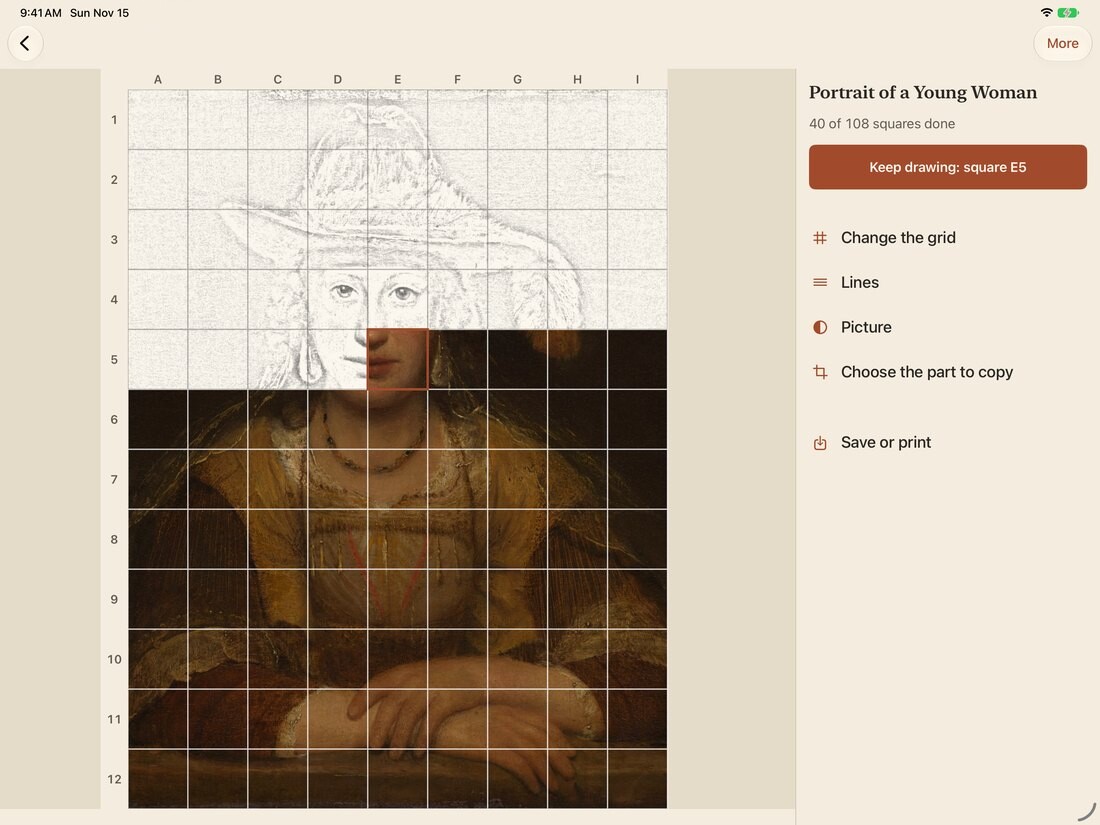
Sample pictures: Portrait of a Young Woman, Aert de Gelder, c. 1690, and Study of a Cow, Emile van Marcke de Lummen, c. 1875–90. Art Institute of Chicago, CC0.
The whole grid method is free
Pay once. No subscription.
Free
- Every way to set the grid, including matching your paper size
- Letters and numbers on the squares
- One square at a time, with your progress
- Crop and turn, zoom, and keep the picture still
- Black or white lines
- Up to 2 of your own pictures. Sample pictures never count.
One-time unlock, $4.99 in the US
- As many pictures as you like
- 7 more line colors, plus thickness and fade
- Diagonals, to check angles
- Black and white, contrast and brightness
- Light and dark only: 3, 4 or 5 shades for a value study
- Mirror the picture to spot mistakes
- Save or print your picture with its grid
Unlock Everything is a one-time purchase of $4.99 in the US. When you reach 2 pictures, you can unlock, or delete a finished picture to make room.
US price. The App Store shows the price before you buy. Apple handles payments and refunds.
Your pictures stay on your device
We never upload them, and there is no account or sign-in. The app gets only the picture you pick and can't look through your photo library.
Grid by Grid privacy policy › Grid by Grid terms of use › Grid by Grid help ›
Questions
What is the grid method of drawing?
Artists have used it for hundreds of years. A whole picture is hard to copy, but one small square is easy. You draw the same grid on your paper as on the picture, then copy just what is in each square: where a line enters, where it leaves, and what is dark or light. It makes it easier to keep the proportions right. Erase the grid lines when you finish.
How do I put a grid on a photo?
Tap New picture and pick a photo from your library or a file, or tap Try a sample picture. Grid by Grid puts the grid over it and labels the squares with letters across the top and numbers down the side. Pinch to zoom in on a square.
How do I make the drawing grid fit my paper?
Every new picture starts with three short steps. On What are you drawing on?, choose a size such as 9 × 12 inches, 11 × 14 inches, Letter, A4 or A3, or type your own. On How big should the squares be?, pick large, medium or small squares. “Rule your paper.” then tells you what to draw, for example: “On your paper, draw a light pencil line every 1½ inches, to make 6 squares across and 8 down.”
Can I use it for a value study?
Yes, with the one-time unlock. Light and dark only reduces the picture to 3, 4 or 5 shades, and black and white, contrast and brightness are in the same unlock. Mirror, also part of the unlock, flips the picture to help you spot mistakes.
What can I do without paying, and what does the unlock add?
The whole grid method costs nothing: every way to set the grid, matching your paper, letters and numbers, one square at a time with your progress, crop and turn, zoom, black or white lines, and up to 2 of your own pictures. Sample pictures never count. Unlock Everything is a one-time purchase of $4.99 in the US. It adds as many pictures as you like, 7 more line colors plus thickness and fade, diagonals, black and white and the other picture adjustments, mirror, and saving and printing the picture with its grid.
Does Grid by Grid work on iPad?
Yes. It works on iPhone and iPad with iOS 17 or later. On a wide iPad screen the picture sits beside a panel with its tools. The screen stays awake while a picture is open, so you can prop it next to your easel and draw.
Can I use any picture?
Use your own photos or pictures you have permission to use, especially if you plan to sell or show your drawing. See the Grid by Grid terms of use.
Get Grid by Grid on iPhone and iPad
Free to download. Requires iOS 17 or later.
Questions first? Email us; we usually reply within two business days.